
Search and filter a response
Searching the body
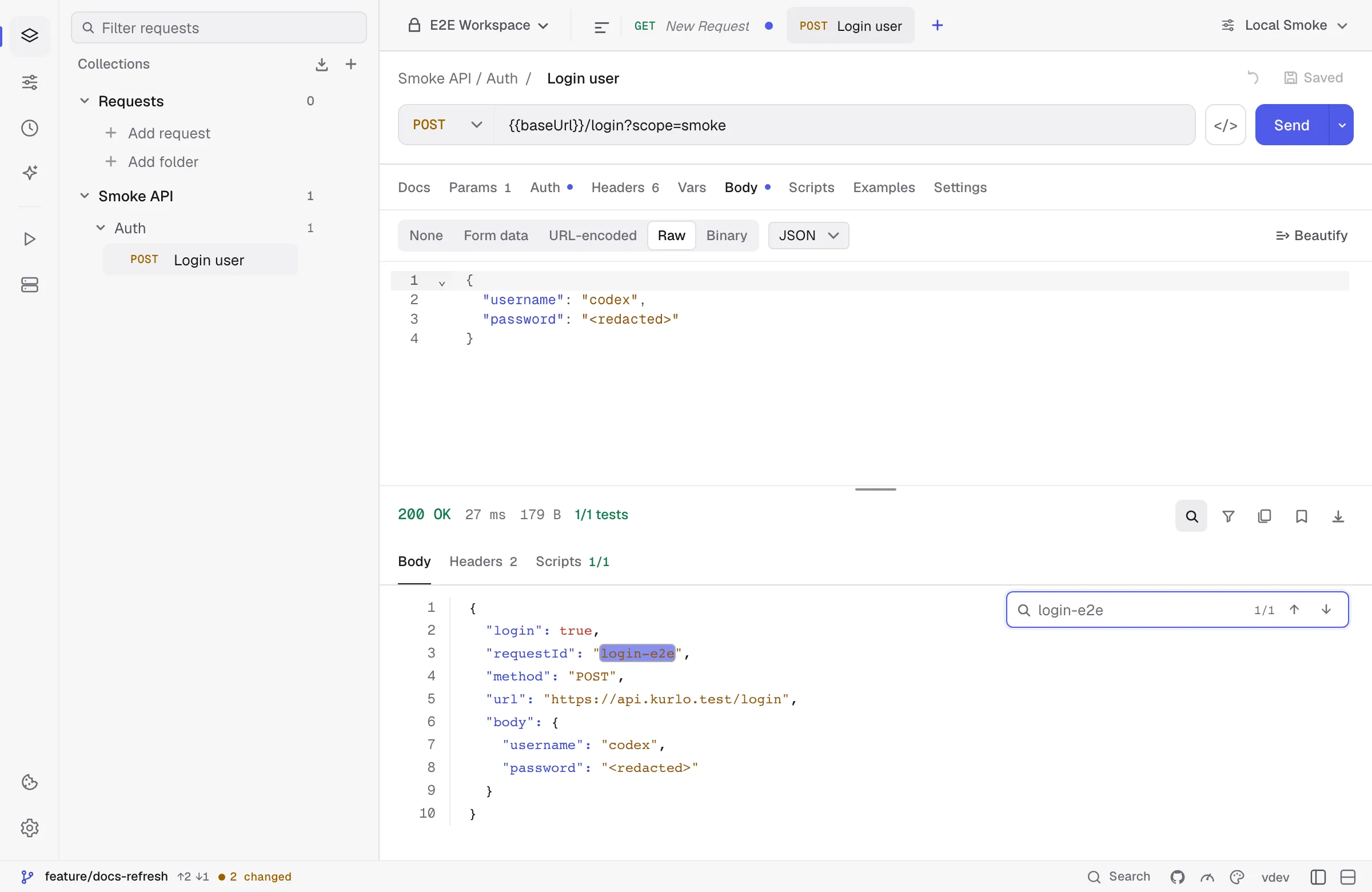
Section titled “Searching the body”Click the magnifying glass at the right end of the status row (or press the search shortcut configured in Settings → Shortcuts) to open the inline search bar. As you type, matches highlight in place and the counter shows current/total:
↓/↑— jump to next / previous matchEnter/Shift+Enter— same as next / previousEsc— close the search bar without clearing the response
Search is case-insensitive. For paged responses, it searches the visible page. Switch pages to search the rest.
Filtering a JSON response
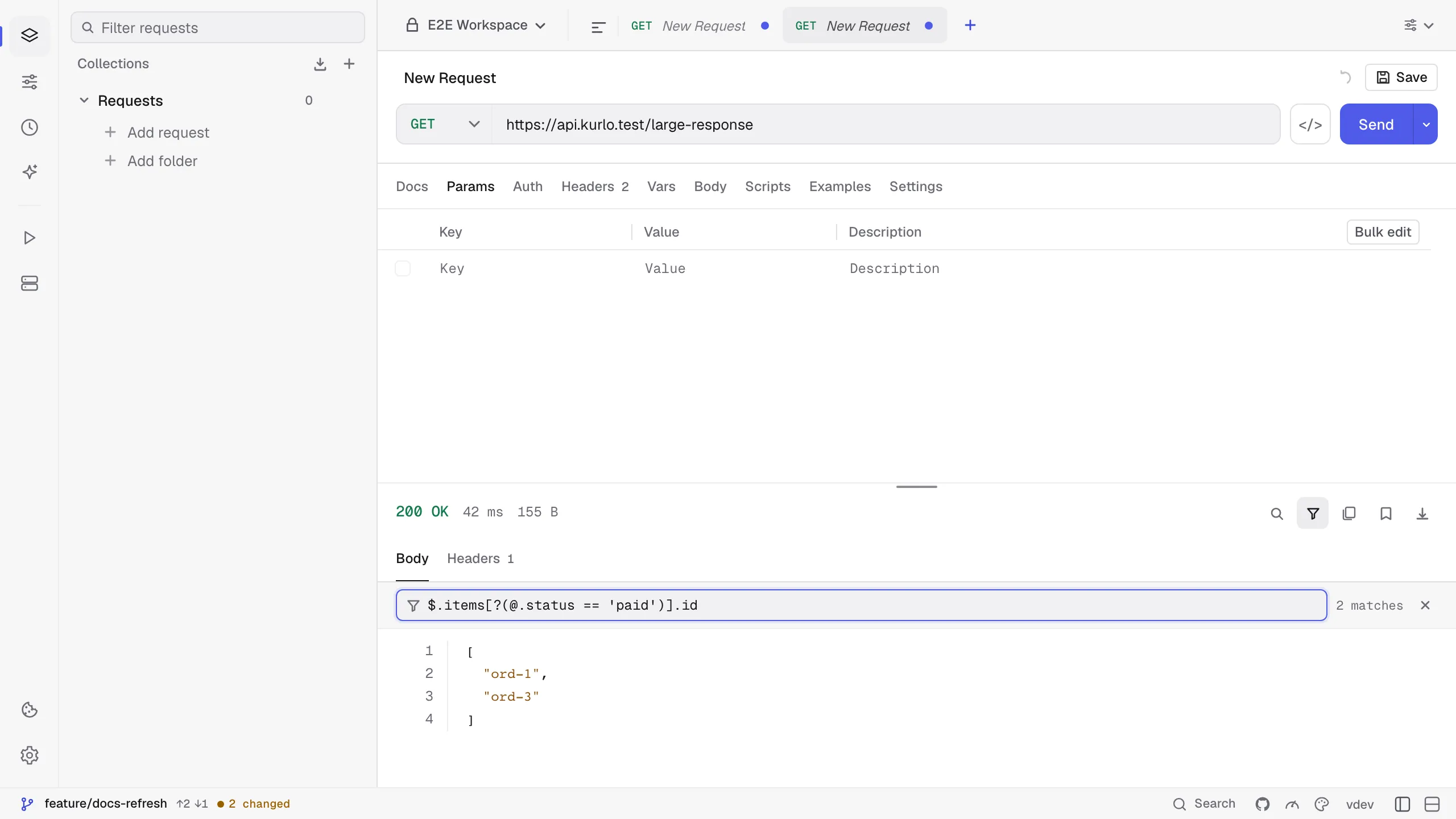
Section titled “Filtering a JSON response”For a JSON response, the funnel button next to search opens a filter bar above the body. Type a JSONPath expression and the body shows only what it selects; the counter on the right shows how many values matched.
| Filter | Shows |
|---|---|
$.data.user.email | One value |
$.items[*].id or .items[].id | The id of every item |
$.items[0], $.items[-1], $.items[1:3] | By position, from the end, or a range |
$..price | Every price, at any depth |
$.items[?(@.status == 'paid' && @.total > 20)] | Items that match a condition |
- A path that can only pick one value, such as
$.meta.page, shows that value. Any other path shows an array of the matches. - A path that starts with a dot is read jq-style:
.items[].idis the same as$.items[*].id. Pipes and jq functions are not supported. - Conditions compare with
==,!=,<,<=,>,>=and combine with&&,||and!.?(@.isbn)keeps items that have the field. - If the expression has a mistake, the body stays unfiltered and the bar says what is wrong and where.
- The filter applies once you pause typing, or at once when you press
Enter, so a large body is not filtered again on every keystroke. Copy always uses what is in the bar. - Search, Copy and paging work on the filtered result.
Escor the × closes the filter and shows the whole body again. - Numbers larger than JavaScript can hold exactly, such as long numeric IDs, can lose their last digits in the filtered view. The unfiltered body shows them as received.
Was this page helpful?