
Global proxy settings
Precedence
Section titled “Precedence”Kurlo resolves proxy configuration in this order:
- A non-empty proxy URL explicitly set on the request.
- A collection proxy URL inherited by a request that has not overridden that setting.
- The app-wide proxy under Settings -> Proxy.
Clearing the proxy field on a request marks that field as a request override. The request then skips the collection proxy and falls back to the app-wide setting. Click Reset in the request Settings tab to clear its override markers and inherit collection defaults again.
Global modes
Section titled “Global modes”Open Settings -> Proxy and choose:
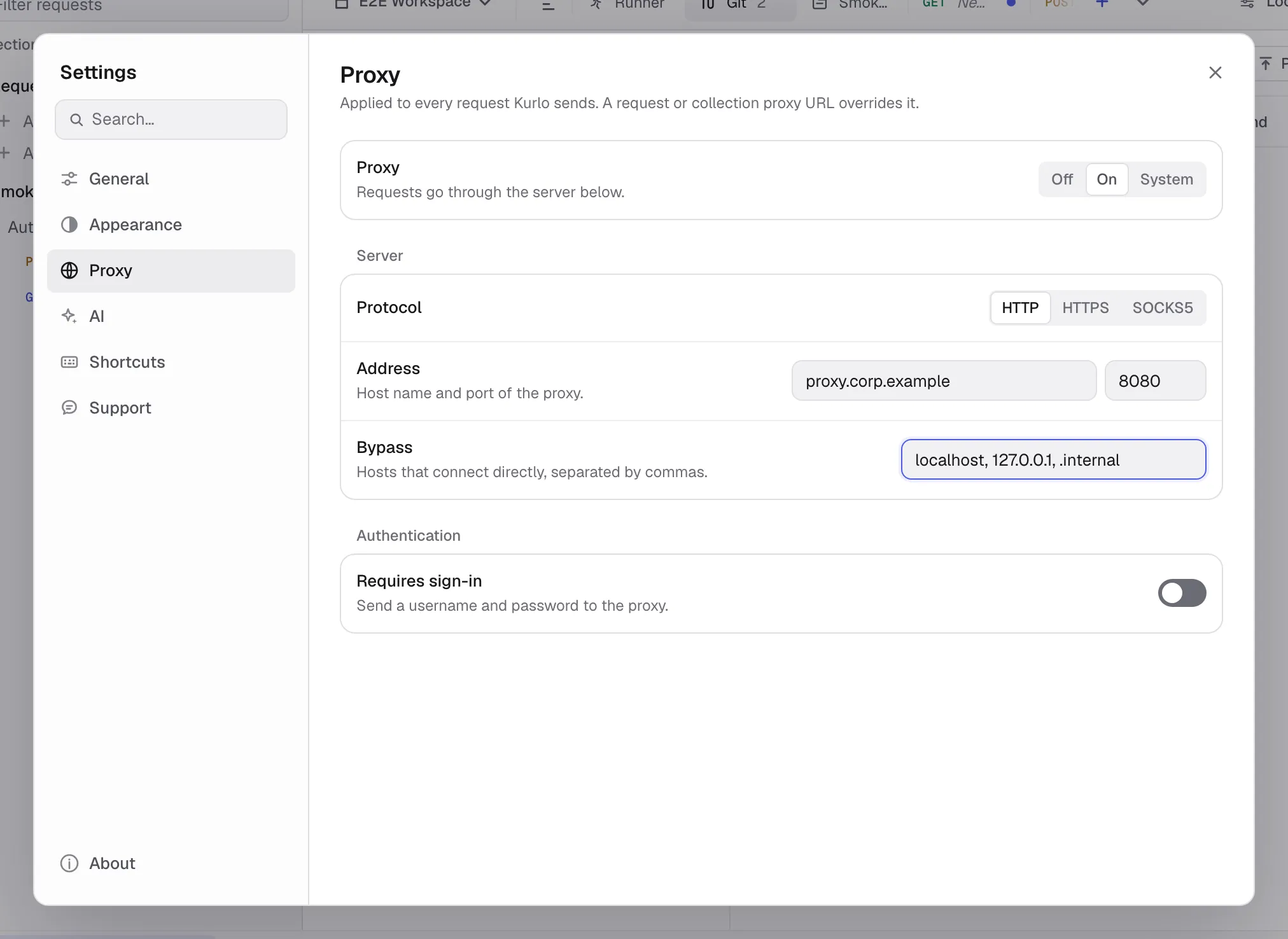
| Mode | Behavior |
|---|---|
| Off | Connect directly. Environment proxy variables are ignored. |
| On | Use the custom HTTP, HTTPS, or SOCKS5 proxy configured below. |
| System | Use the standard HTTP_PROXY, HTTPS_PROXY, and NO_PROXY environment behavior. |
When On is selected, Kurlo requires a hostname. If it is blank, requests fail instead of silently going direct.
For a custom proxy, configure:
- Protocol: HTTP, HTTPS, or SOCKS5.
- Hostname: without a URL scheme.
- Port:
0uses the protocol’s normal URL behavior; SOCKS5 defaults to1080. - Auth: optional username and password.
- Proxy Bypass: hosts that must connect directly.
The global proxy password is kept only in the running app. Kurlo deliberately removes it from persisted preferences and all-data backups, so you must enter it again after restarting Kurlo or restoring a backup.
Was this page helpful?