
Cookie sync behavior
What a sync does to the jar
Section titled “What a sync does to the jar”Once connected, the extension holds an open WebSocket to Kurlo, and the two directions of traffic are:
- Live changes. Every cookie the browser sets, updates or clears for an allowlisted domain is pushed as it happens, so a fresh login shows up in Kurlo within a second.
- Reconciliation. On connect and every five minutes the extension sends a full snapshot of the allowlisted domains. A snapshot is authoritative: Kurlo replaces everything the jar held for those domains, which is how a cookie you cleared while the browser was closed disappears here too. Domains the snapshot does not cover are left alone.
- Allowlist updates. Add or remove a domain in Kurlo and the extension is told immediately — no polling, and removing a domain stops it being read at once.
A cookie you typed by hand for a synced domain is replaced by the browser’s view of it.
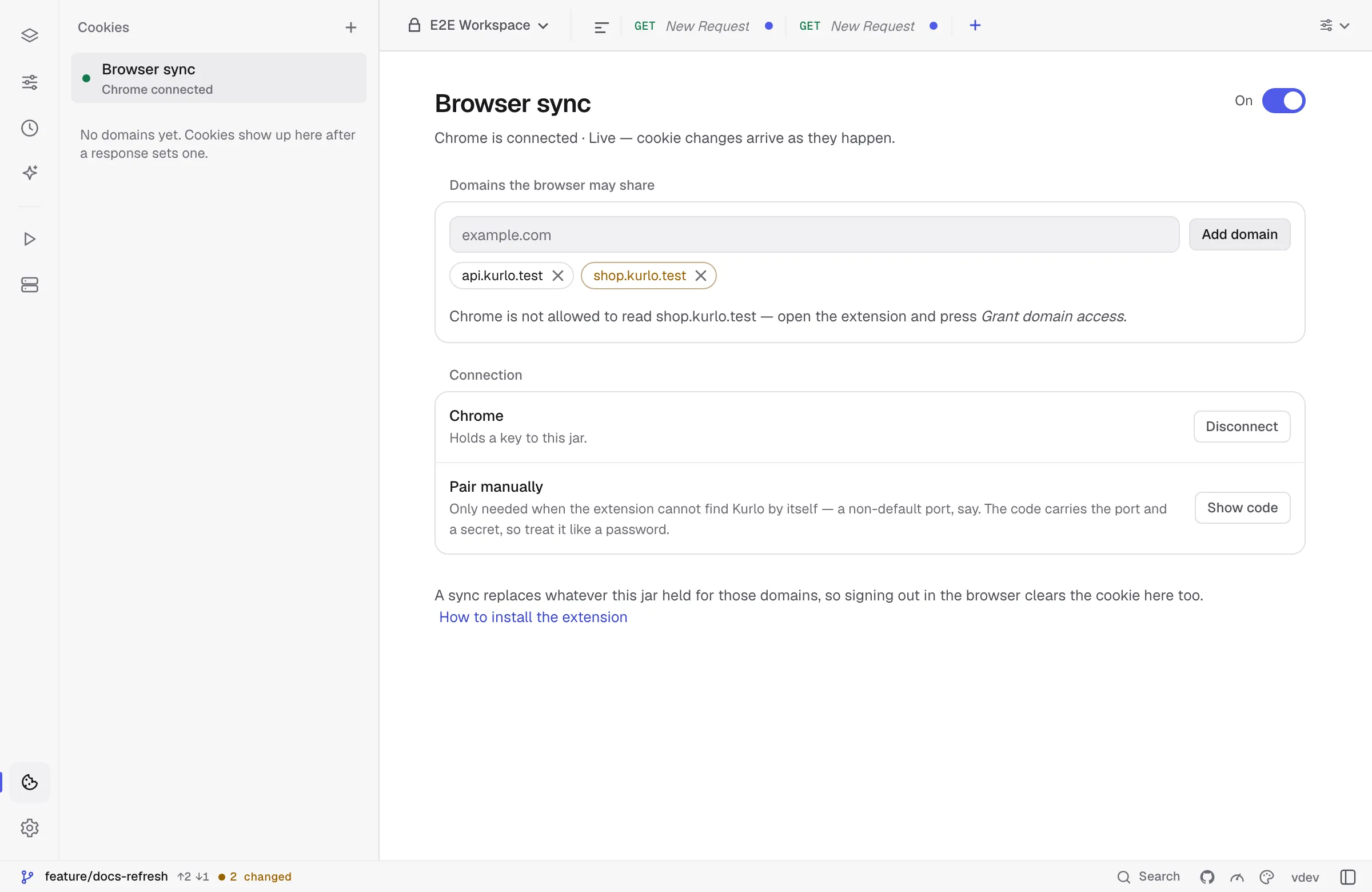
Cookies land in the jar of the workspace you have open, and follow you when you switch workspaces. The bridge closes when Kurlo quits and reopens on the next start if you left it on; the token is kept, so the browser reconnects on its own.
Disconnect mints a new token, which drops the browser immediately. Kurlo tells the extension that this is what happened, so it drops its own token and asks to connect again rather than retrying with a key that no longer works. The extension’s Forget does the same from the other side.
When it will not sync
Section titled “When it will not sync”- Nothing on the allowlist. The extension is told there is nothing to read.
- Permission not granted. The extension reports only the domains it could actually read, so a domain it cannot read is left out of the snapshot instead of looking empty and clearing the jar. Kurlo marks those domains on the page and names them, rather than leaving you to wonder why nothing arrives.
- Kurlo is closed or sync is off. The extension retries with a backoff and reconnects when the bridge comes back.
Was this page helpful?