WebSocket
Connect to a WebSocket endpoint and send or save frames.
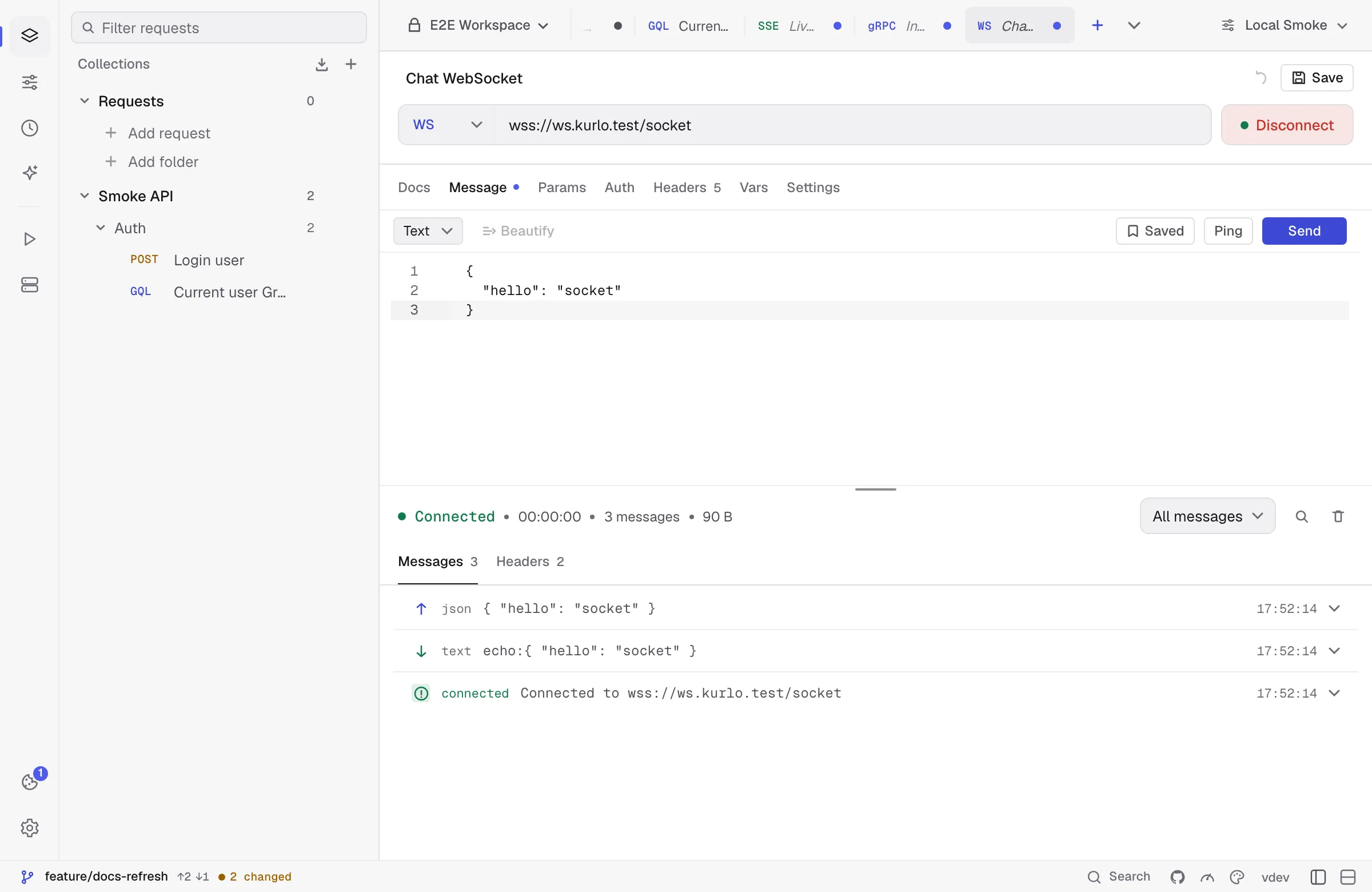
WebSocket requests connect to ws:// or wss:// URLs. Kurlo shows:
- A handshake record with request/response headers.
- Incoming/outgoing frames.
- Text, binary, ping, pong, close, reconnect, and error events.
- Reconnect settings and a max-message-size guard.
Sending a close frame ends the session even when the server never answers it: Kurlo waits one second for the server’s reply, then closes the connection. Use the Message tab to send a text or binary payload after connecting. Per-request headers and cookies are applied to the handshake, and so is the Authorization tab — Bearer, Basic, Digest and API-key auth all go out with the upgrade request, the same way they would on an ordinary send. There is no Scripts tab: the handshake does not run pre-request or test scripts.
Saved messages
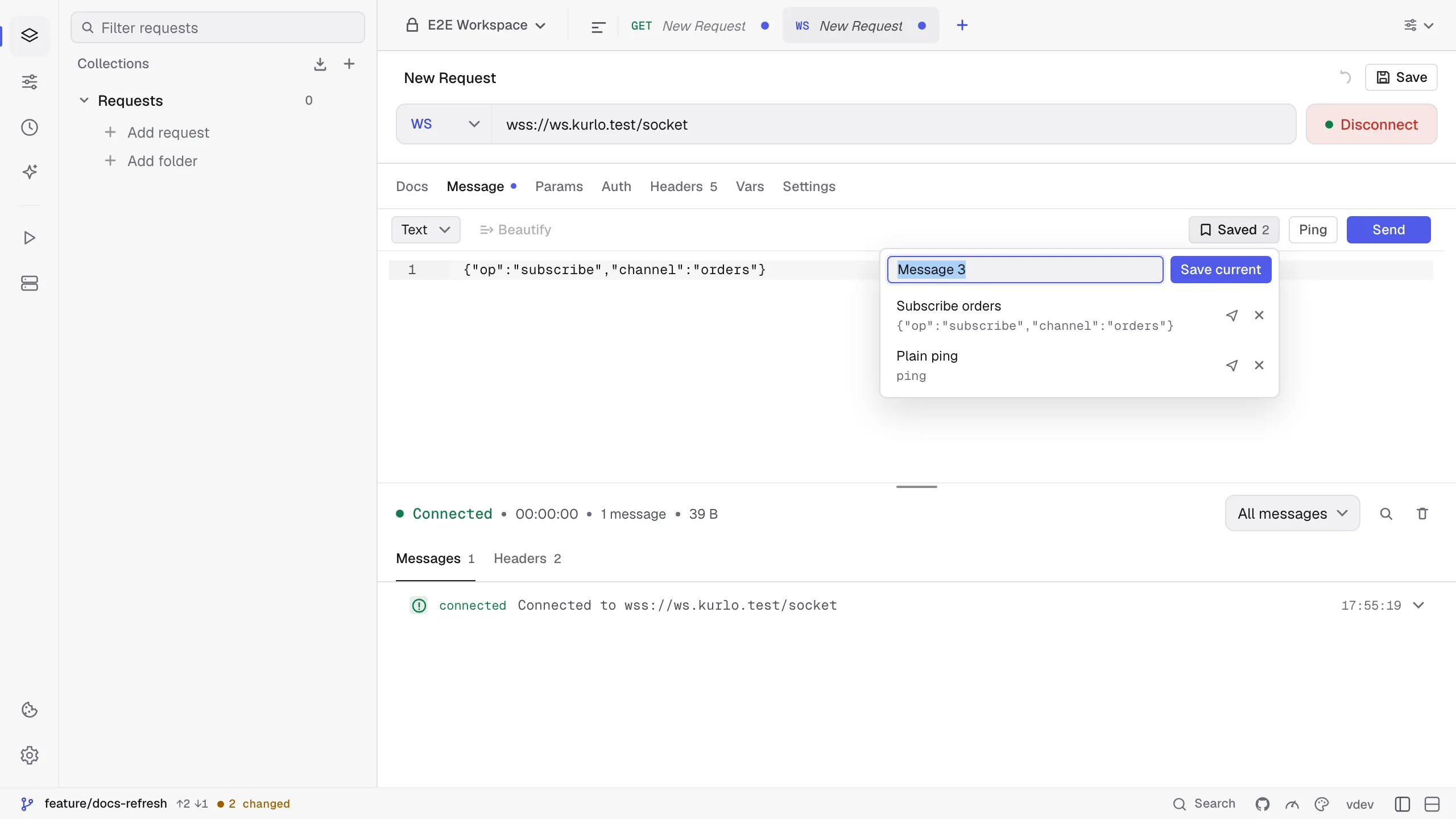
Section titled “Saved messages”Saved in the Message tab keeps messages you send again and again: a subscribe frame, a ping in your own format, a test payload. Type the message, open Saved, name it and press Save current. Click a saved message to put it back in the editor, or use its send button to send it straight away while connected.
A request keeps up to 100 saved messages of up to 256 KB each; at the limit Save current is turned off until you delete one. From nine messages on, a search field above the list finds messages by name, content, event or argument. A request file that already holds more than 100 shows the first 100 and finds the rest by search; nothing is removed.
Saved messages are stored with the request as savedMessages in its YAML file, so they are shared through Git with the rest of the collection. Socket.IO requests have the same menu next to the event name; a saved Socket.IO message keeps the event name, every argument and the Ack setting.