
Client certificates (mTLS)
Use PEM or PKCS#12 client certificates with HTTP and gRPC.
Client certificate (mutual TLS)
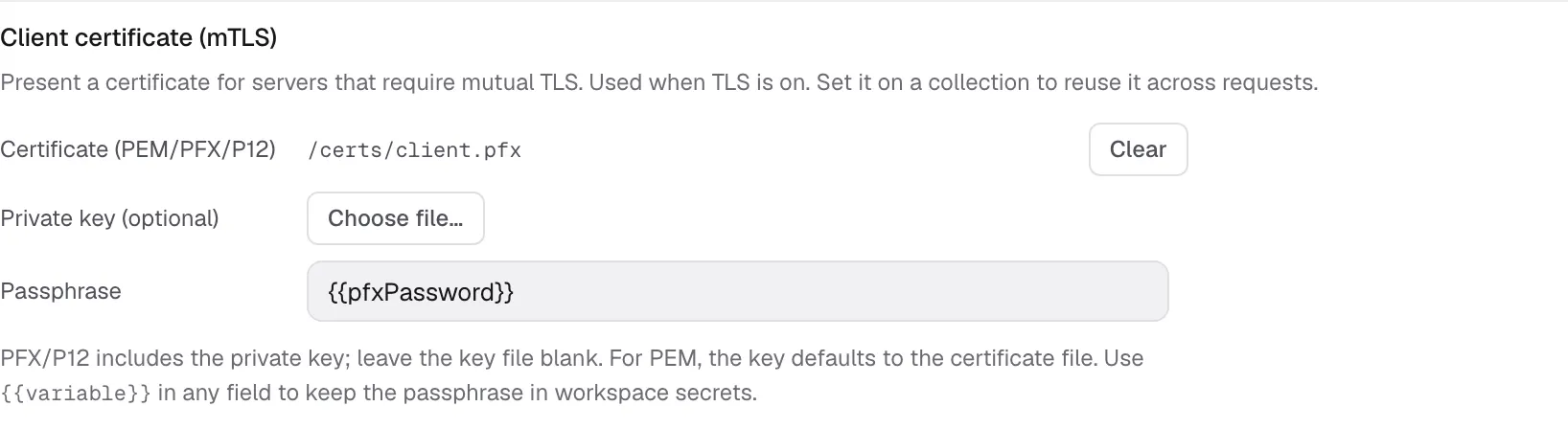
Section titled “Client certificate (mutual TLS)”For servers that require mutual TLS, open Settings → Client certificate (mTLS) on an HTTP, SSE, MCP, or gRPC request. A gRPC call sends the certificate when it uses TLS. For GraphQL requests, set the certificate at collection level.
- Certificate (PEM/PFX/P12) — a PEM certificate or a PKCS#12 container (
.pfxor.p12). A PKCS#12 container includes the private key and can include the certificate chain. - Private key (optional) — a separate PEM key file. Leave it blank for PFX/P12 or when the key is in the same file as the certificate (a combined PEM).
- Passphrase — the PFX/P12 container password or the password for an encrypted PEM key. It accepts a
{{variable}}, so you can point it at a workspace secret instead of storing it in the YAML.
After replacing a certificate or key file, send the request again to use the updated certificate. You do not need to restart Kurlo.
To share a certificate, open the collection’s ⋯ → Settings in the sidebar. Select the Proxy tab and set Client certificate (mTLS). For manual saving, click Save after editing the request or collection settings.
A missing file, a mismatched certificate/key pair, or a wrong passphrase fails the request before it dials, with a message that says which. Kurlo supports password-protected and unprotected PFX/P12 containers, and PEM keys including the legacy openssl encrypted format; PKCS#8-encrypted keys need converting first (openssl pkcs8 -in key.pem -out key.dec.pem).