
Manage saved requests
Requests
Section titled “Requests”A request is the leaf of the tree. Each request has its own URL, method, headers, body, auth config, pre-request and test scripts, settings, and notes.
Creating a request
Section titled “Creating a request”- Collection or folder
⋯menu → Add request - Workspace overview → Start → New request
- Drafts: + after the open tabs opens an unsaved HTTP request. Use the method and protocol picker at the start of the URL bar to switch request types before saving.
With manual saving, a request added from a collection or folder starts as a draft too, marked with a dot on its tab. It already uses the headers, auth, scripts and variables of that collection and folder, and Save puts it there without asking where. With autosave on, it is saved straight away.
Closing a draft asks whether to save it only when you have changed it since it opened. An untouched draft, like an empty tab from +, closes without asking.
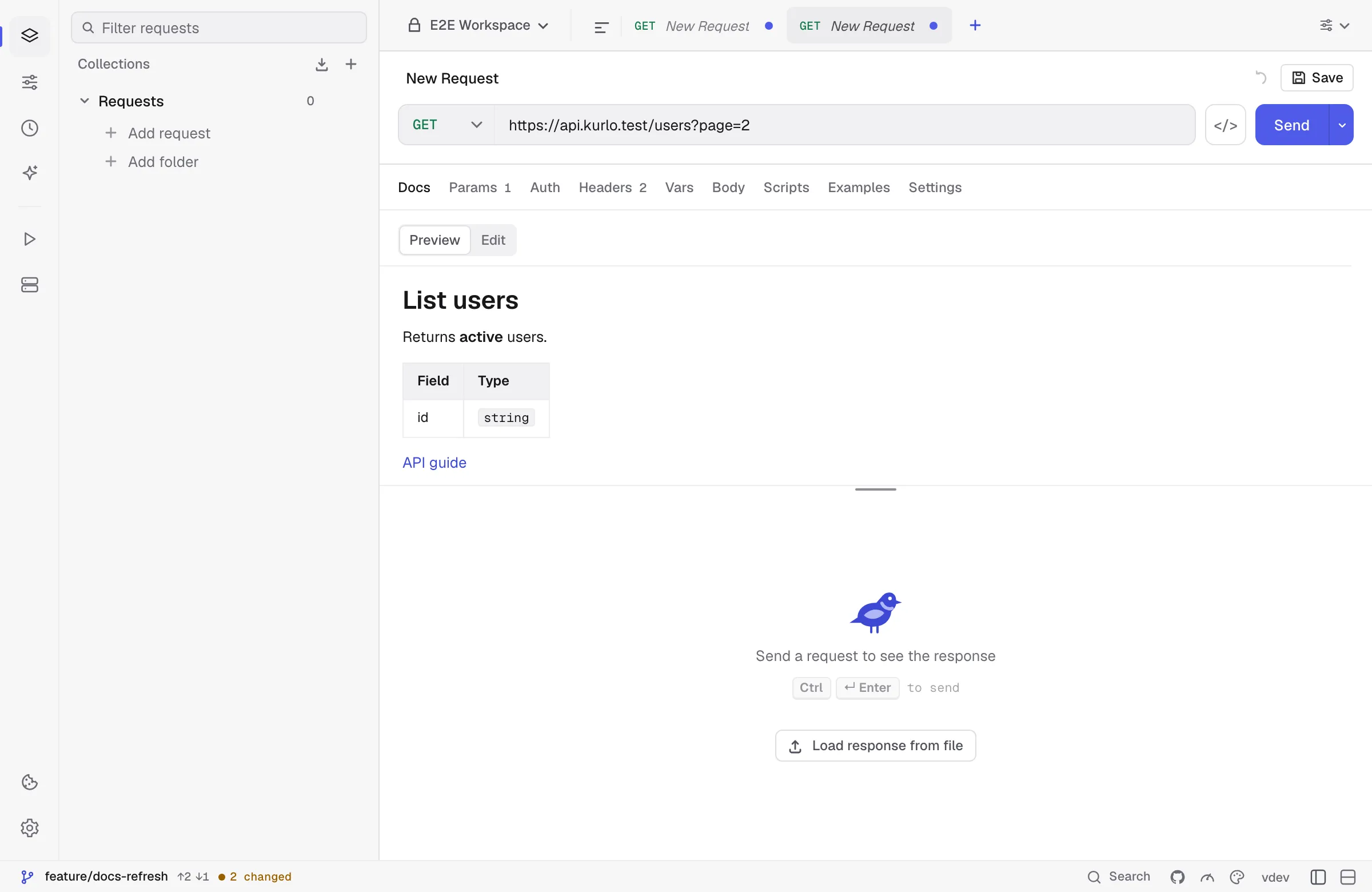
The Docs tab of a request is written in Markdown: headings, bold, code, lists, task lists, tables, quotes, links and images. Edit shows the text on the left and a live preview on the right; Preview shows the rendered page, followed by a reference Kurlo builds from the request itself: the method and URL, the auth type, and the enabled path variables, query params, headers and body, with the description you gave each row. Links open in your browser, and secret values are masked. A request without docs opens in Edit; Esc goes back to the preview.
The request ⋯ menu
Section titled “The request ⋯ menu”Right-click (or click the ⋯ button on hover) on any request to reveal:
- Rename — inline rename; double-click the title also works
- Duplicate — clones the request, including auth/headers/body/scripts
- Star / Unstar — adds the request to the Starred group at the top of the sidebar, or removes it.
- Copy as cURL — copies a
curlcommand for a supported request. Review the command before sharing it. - Show in Finder / Show in Explorer — opens the folder that holds the request’s YAML file with the file selected. On Linux it is Show in file manager: file managers that support it, such as Files (Nautilus), Dolphin, Thunar, Nemo and Caja, select the file too, and others open its folder. Unsaved drafts have no file yet, so they do not offer it.
- Delete — asks for confirmation before removing the request. You can restore it from Recently deleted until you quit Kurlo.
Reordering requests
Section titled “Reordering requests”Hover a request to reveal its ⋮⋮ handle on the left. Drag it onto another request in the same collection or folder: the top half places it above, and the bottom half places it below. A line shows the insertion point. The order is saved in collection.yml and persists between sessions.
To move a saved request, drop it onto a folder header or an empty folder in the same collection. Nested and collapsed folders accept drops too. Drop onto the collection header to move it back to the root. Empty source folders are kept.
Clear the sidebar search before dragging. Dragging onto another request changes the order among siblings; dragging onto a folder changes the parent.