
Connect an OpenAPI spec
Connecting a collection
Section titled “Connecting a collection”There are two ways in:
- When you import. Import collection → OpenAPI / Swagger from URL has Keep in sync with this URL ticked by default. The new collection is linked to that URL straight away.
- For an existing collection. Open the collection’s ••• menu and choose OpenAPI sync…, or open its settings and the OpenAPI tab. Enter the spec’s URL, or a file path relative to the workspace folder, such as
../api/openapi.yamlin a monorepo, and click Connect. Choose file… picks a file.
The source and its request headers can use {{variables}} from the collection and the active environment, for example https://{{host}}/v3/api-docs with Authorization: Bearer {{specToken}}. Keep tokens in a secret variable rather than in the header itself, because the source settings are saved in collection.yml. Skip TLS certificate check is there for specs served with a self-signed or internal certificate.
When you connect a collection that was imported earlier, requests are matched to operations by method and path. {{baseUrl}} and the host are ignored, and :id, {id} and {{id}} count as the same parameter. Requests that match nothing are left alone.
Checking for changes
Section titled “Checking for changes”The OpenAPI tab shows whether the collection is in sync and when the spec was last checked. Click Check now to check the spec. When Kurlo already knows about pending updates, the button reads Review changes.
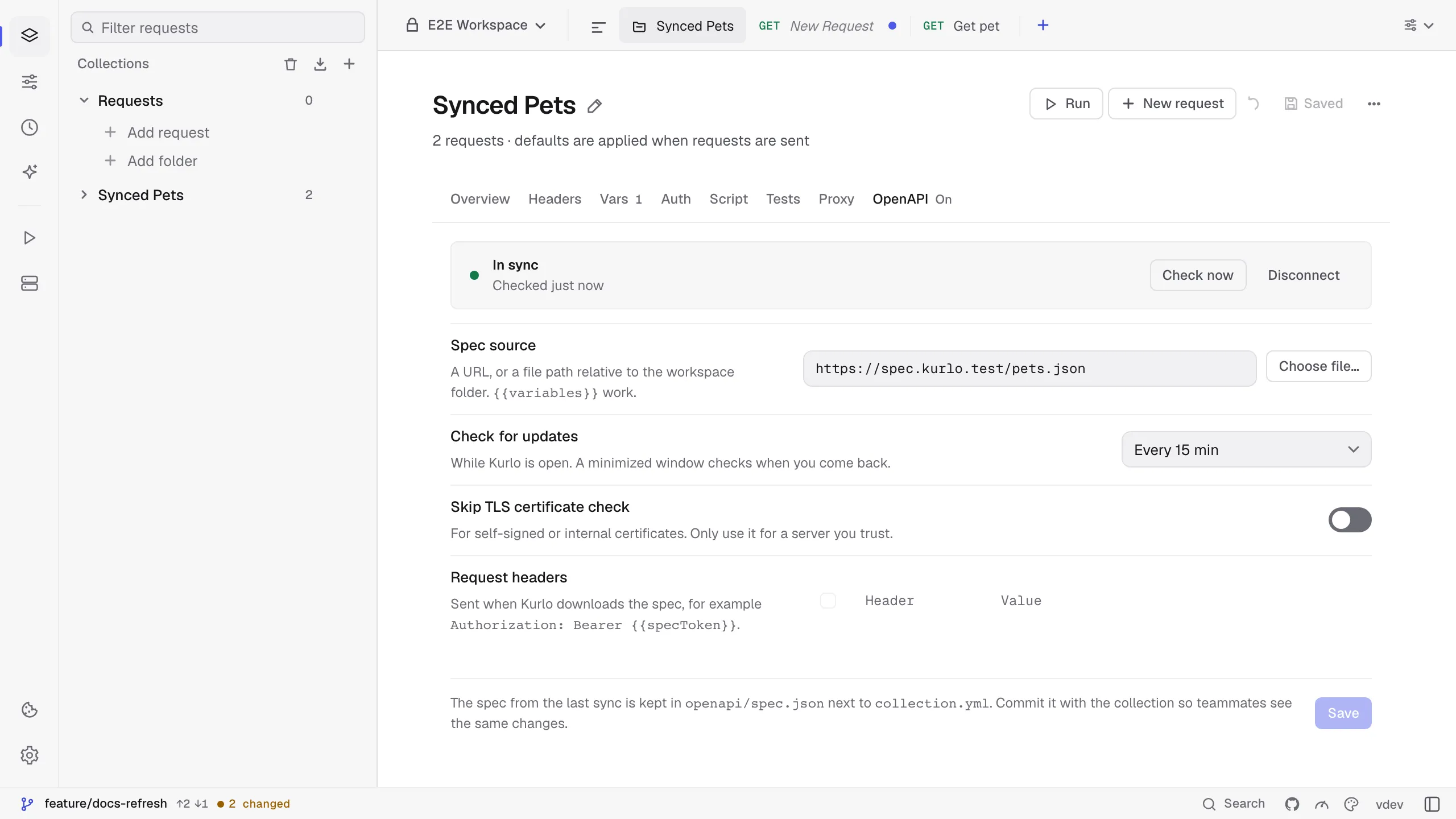
Kurlo also checks on its own while the app is open, every 15 minutes by default. Change it with Check for updates: off, every 5 or 15 minutes, every hour, every 6 hours or once a day. A minimized window does not check; the check runs when you come back. Kurlo sends If-None-Match and If-Modified-Since, so a server that supports them answers 304 Not Modified and nothing is downloaded or compared. When an automatic check finds changes, a dot appears next to the collection in the sidebar and a short message says what changed. Click the dot to open the tab.