
Secret variables and environment safety
Secret variables
Section titled “Secret variables”Mark a variable as secret in the environment editor — its value is masked in the UI and excluded from collection exports. Useful for tokens and keys.
Deleting an environment
Section titled “Deleting an environment”Choose Delete in the environment’s ••• menu. Children that inherit from it move to its parent, and collections unpin it. Click Undo in the message that follows, or use the trash button in the Environments header until you quit Kurlo, to bring it back with its children and pins. See Restoring deleted items.
Coloring an environment
Section titled “Coloring an environment”Give an environment a color so you notice which one is in use, for example red for production. Open the environment, click ••• and pick a color under Color: red, amber, green, blue or gray. No color removes it.
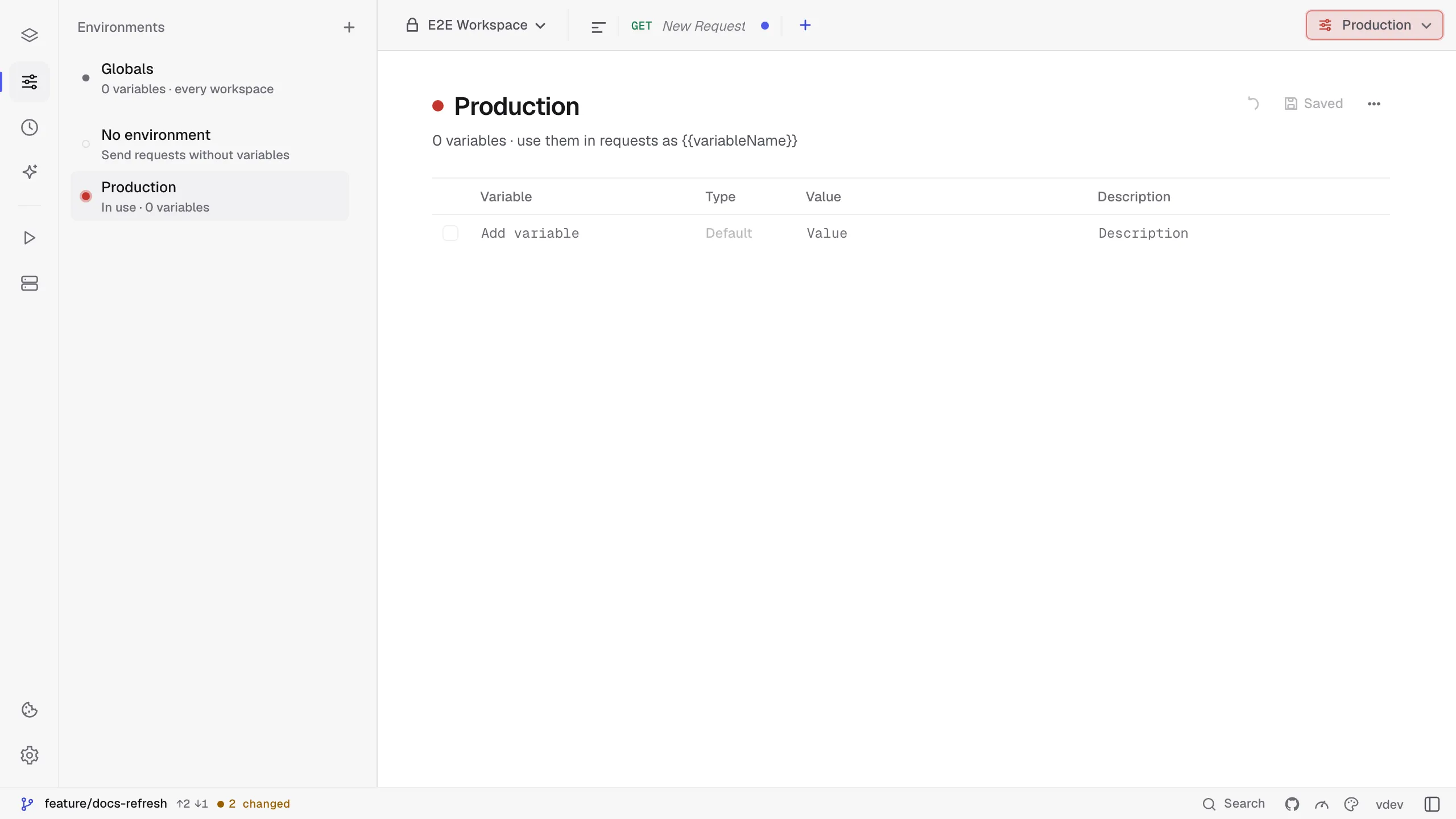
The color tints the environment switcher in the title bar while that environment is in use and marks it in the environment list, the switcher menu and the Matrix column header. The colors follow the active theme. The color is saved in the environment file as color, so a Git-backed workspace shares it with your team, and kurlo mcp lists it, so a connected assistant can tell which environment is marked.
Protecting an environment from AI agents
Section titled “Protecting an environment from AI agents”Choose Protect from AI agents in an environment’s ⋯ menu to keep assistants connected through kurlo mcp away from it. They can still see that it exists, but they cannot send requests with it or change its variables. The environment shows a Protected badge, and the mark is saved in its file, so a Git-backed workspace shares it with your team. Use it for production.
Sandbox environments for the agent
Section titled “Sandbox environments for the agent”Choose Sandbox for the agent in an environment’s ⋯ menu for an environment that points at disposable data, such as a local stack or a test tenant. The Kurlo agent then sends every request with it without asking, including POST, PUT, PATCH and DELETE. The environment shows a Sandbox badge and the mark is saved in its file. A protected environment cannot be a sandbox. See What the agent may do without asking.