
Start the mock server
Starting it
Section titled “Starting it”Open the Mock tab from the server icon in the activity rail on the left, pick a collection, and press Start server at the top right. The status bar beside it shows whether the server runs and its base URL; click the URL to copy it. Close tab (Cmd+W, or Ctrl+W on Windows and Linux) closes the Mock tab like any other tab; a running server keeps running:
http://127.0.0.1:3100Point your client at that instead of the real API and every request matching an example gets the recorded response back.
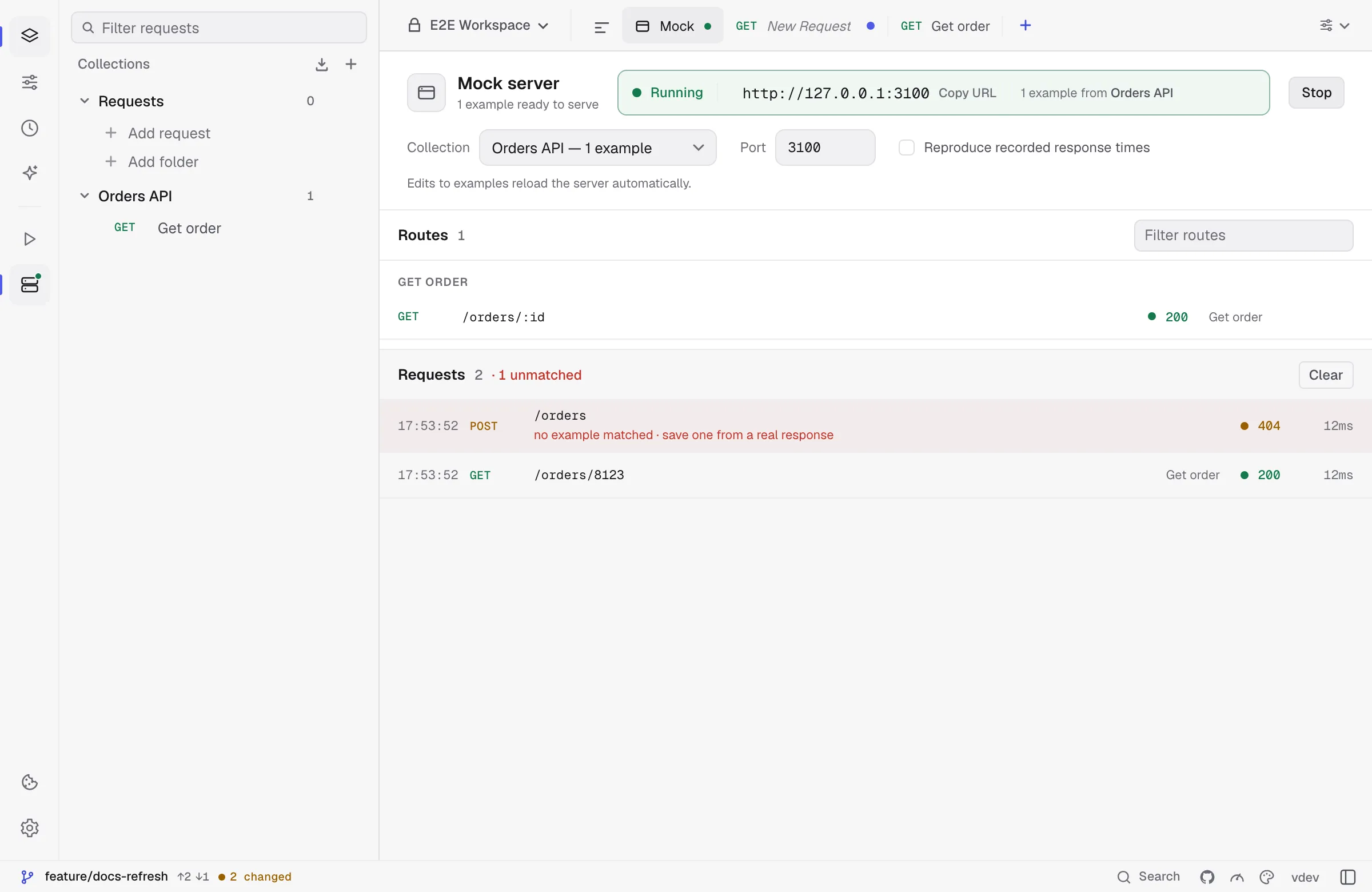
The Start button stays disabled until the selected collection has at least one example — there would be nothing to serve.
Was this page helpful?