
Install and run k6
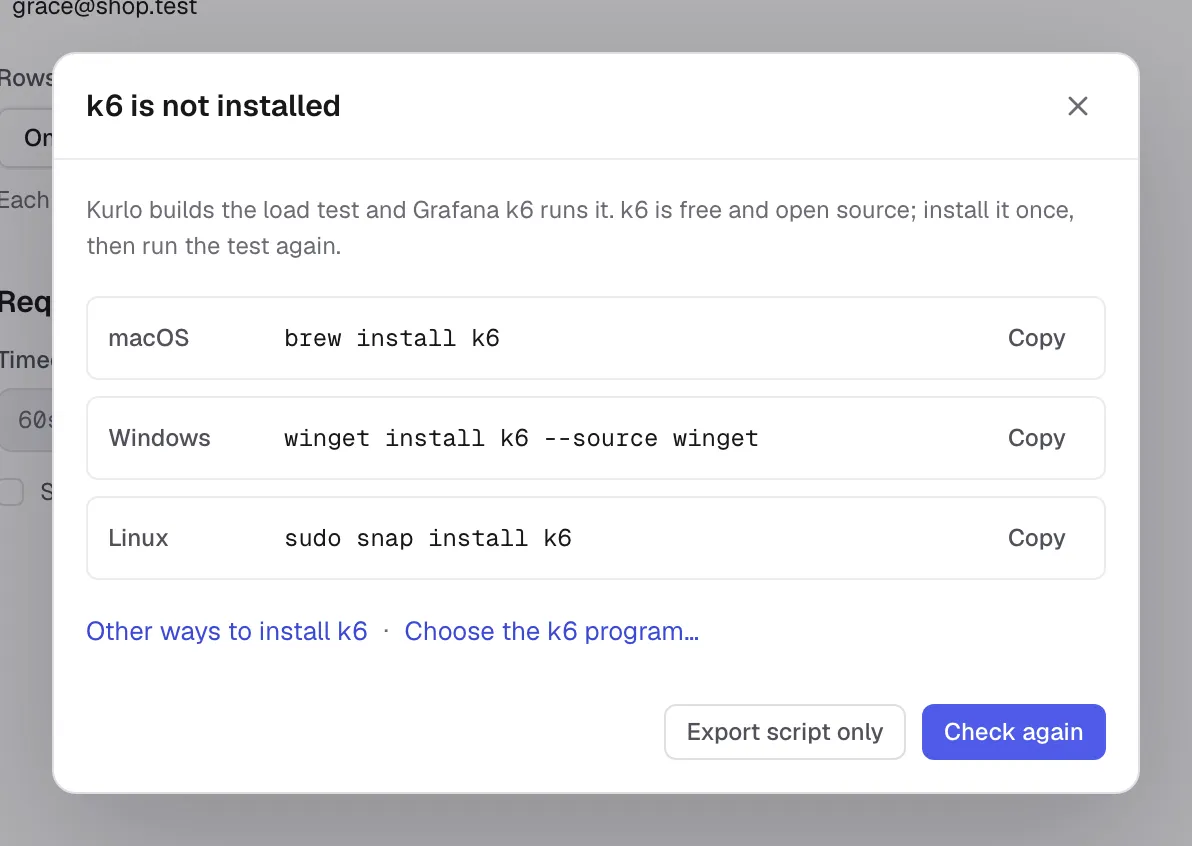
Kurlo uses an independently installed k6 program. On macOS with Homebrew:
brew install k6On Windows with Windows Package Manager:
winget install k6 --source wingetFor Linux packages, standalone binaries and other installation options, follow the official k6 installation guide.
If Kurlo cannot find k6, it opens an installation dialog. Use Choose the k6 program… to select the binary yourself, Check again after installation, or Export script only to continue without a local runtime.
Click Run with k6. For targets outside this computer’s loopback addresses, Kurlo shows the hosts and asks you to confirm before sending traffic. For a protected environment, type the requested host name. Only one load test can run in the app at a time.
Watch and stop a run
Section titled “Watch and stop a run”The Results tab shows the current stage and what it is doing, elapsed time as a clock such as 0:15 / 1:00 and the approximate time left, the planned load with a marker at the current moment, users, completed and interrupted iterations, and the k6 log, which you can collapse. Open k6 live dashboard opens k6’s own dashboard while the run is active.
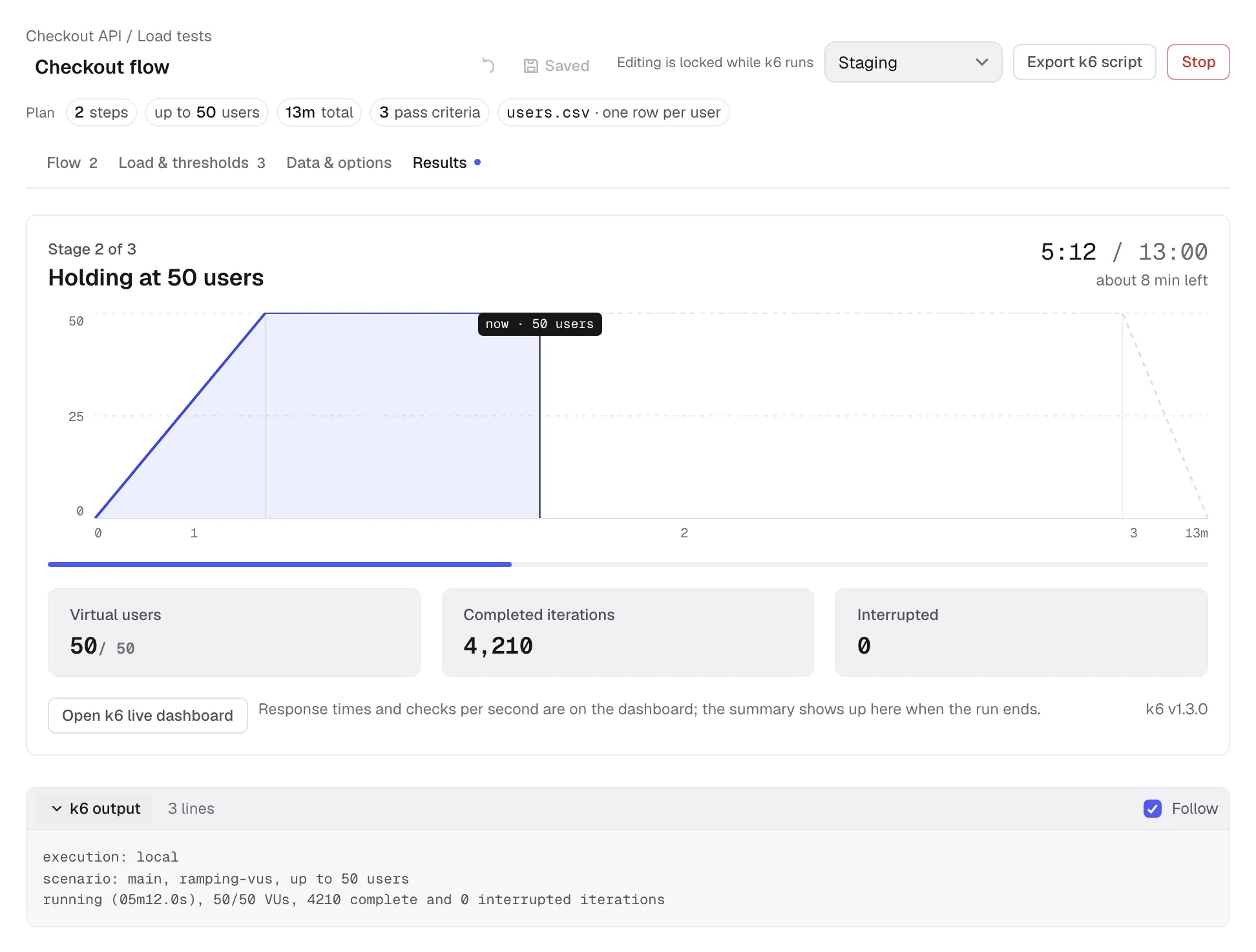
Stop asks k6 to finish on macOS and Linux; after ten seconds Kurlo kills it if it has not exited. On Windows it is killed immediately. A stopped run keeps the summary when k6 produced one. Its status is Stopped unless k6 had already completed and returned its final result.
Read the result
Section titled “Read the result”When the run finishes, Kurlo shows Passed, Failed, Stopped or Did not finish. The result includes each threshold’s actual value with a bar against its limit, total requests and throughput, response times, failed requests, checks and a table per step with a bar for each step’s p95. The Results tab label also shows the last status.
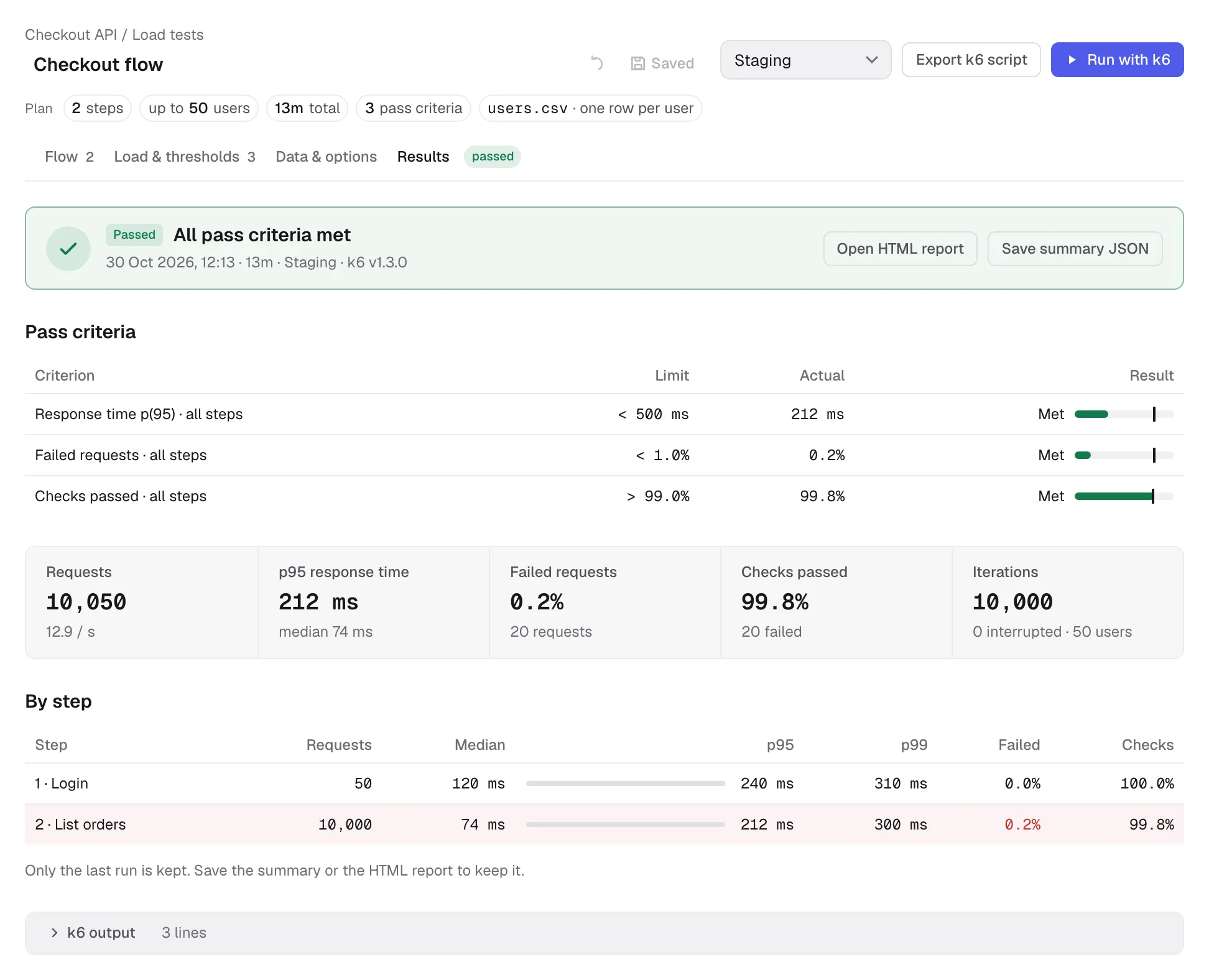
Use Open HTML report for k6’s exported dashboard report and Save summary JSON for the raw k6 summary. The HTML report is available when k6 generated it; very short runs may not collect enough dashboard samples.
Kurlo keeps only the last result for each test, on this device. A new run replaces it. The result, summary and HTML report are local app data, not part of the workspace YAML. There is no run history or baseline comparison.