
Use CSV or JSON data
Put a data file inside the workspace folder and open Data & options. Click Choose file…, or enter a path such as data/users.csv. Kurlo stores a path relative to the workspace root and previews the first five rows.
email,nameada@shop.test,Adagrace@shop.test,GraceJSON can be an array of objects:
[ { "email": "ada@shop.test", "name": "Ada" }, { "email": "grace@shop.test", "name": "Grace" }]Each column or object key becomes a variable such as {{email}}. Select how rows are assigned:
- One row per user keeps a row for that VU. Users wrap around when there are more users than rows. This works well with a once-per-user login step.
- Next row each iteration cycles through rows using the scenario’s iteration index across users.
- Random row chooses a row each iteration; rows can be reused.
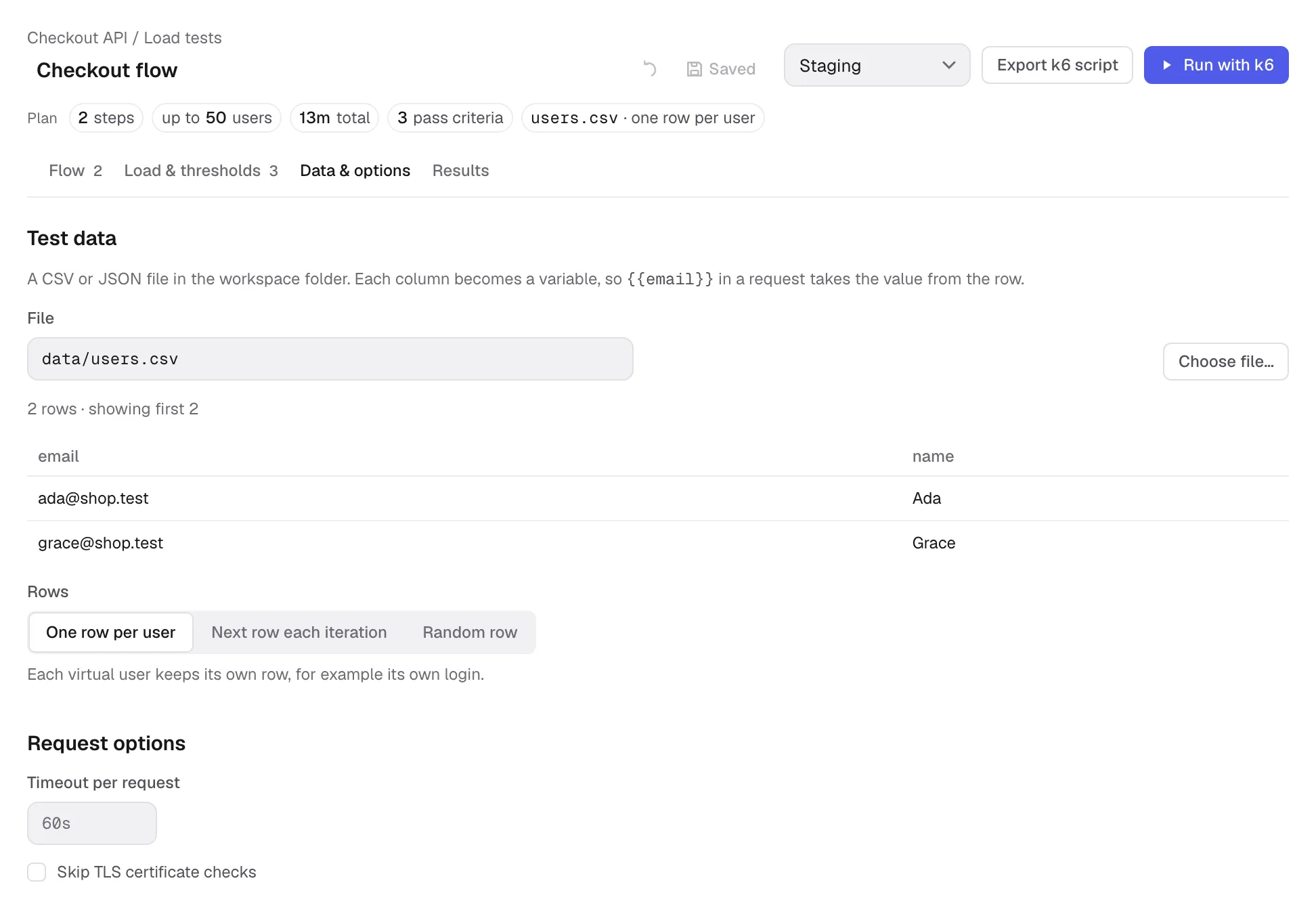
The same tab has a timeout per request and Skip TLS certificate checks. Leave the timeout empty to keep the request’s timeout; fill it to override it for the load test.
Was this page helpful?