
Updates and support
Updates
Section titled “Updates”Updates live in the About tab, under the version. The first row shows the current state and one action: Check for updates, Check again, Install or Download, Restart now, or Try again after an error. When a new release is found, its notes appear below the list.
When the background check finds a release, a notice in the lower-right corner says so; View opens the About tab.
Install updates automatically installs a discovered release in the background, then asks you to restart. Development builds created with make dev or go run do not use the release updater, so both controls are off there.
For a Windows MSIX installation, download and open the next .msix package to upgrade in place. The package directory is managed by Windows.
What’s new
Section titled “What’s new”The first time Kurlo starts after updating to a new version, it opens a What’s new screen with that release’s notes. It appears once per version: relaunching the same build, downgrading, and a first-ever install all stay quiet — a brand-new user has nothing to catch up on.
The first launch after updating from a 2.x version to 3.0 or later shows Meet Agent mode instead: the three agents you can use, with Try Agent mode to open the Agent tab and All changes for the release notes. Later closes it, and it does not come back.
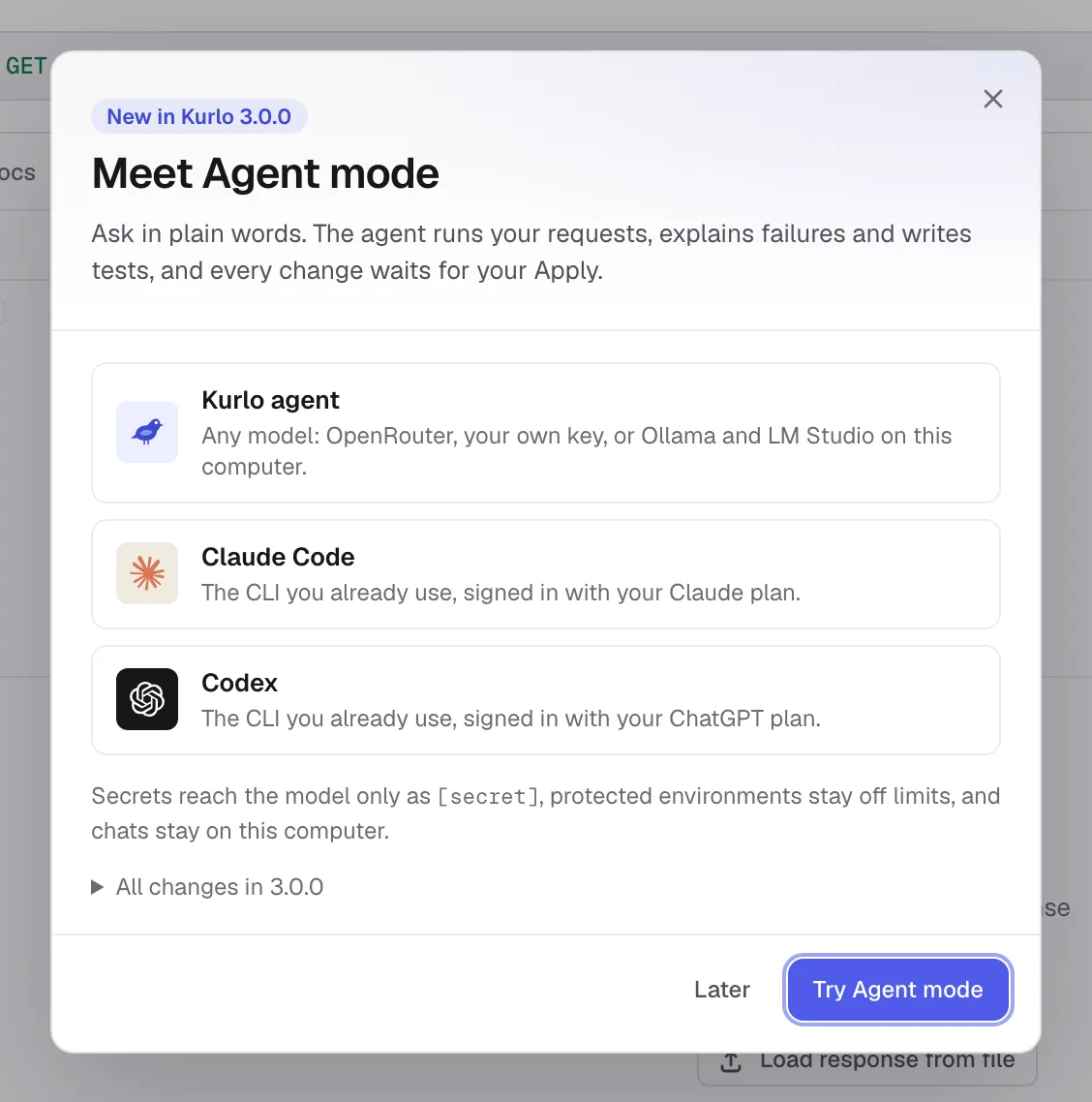
You can reopen it any time from About → What’s new. The notes are bundled with the build, so the screen works offline and always describes the version you are actually running.
Support and About
Section titled “Support and About”Support links to the GitHub repository and to Kurlo on Boosty, opens Kurlo’s public issue tracker for bugs and questions, copies a diagnostics summary (version, platform, Git and storage state) to paste into an issue, and opens the folder holding kurlo.log. About shows the installed Kurlo version and platform; include both when reporting a problem.
For common failures, start with Troubleshooting.