
Code snippets
Copy an HTTP, GraphQL or AI request as a runnable snippet in one of 14 targets.
The Code side panel turns the currently-open request into a runnable snippet. Open it with the Code snippet (</>) button next to Send, or run Show code snippet from the command palette.
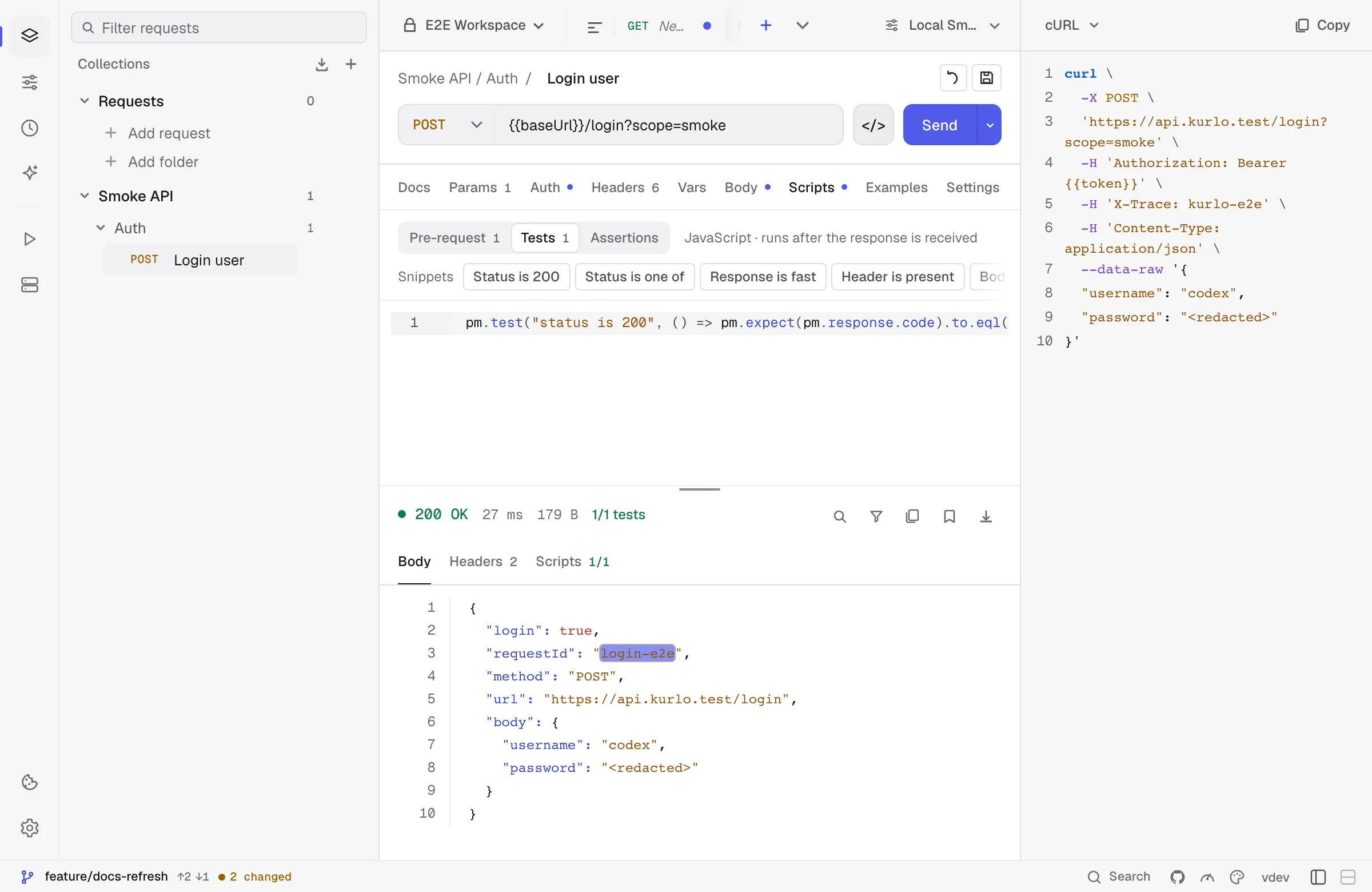
Supported targets
Section titled “Supported targets”Kurlo currently exposes 14 choices:
| Family | Targets |
|---|---|
| Command line | cURL, HTTPie |
| JavaScript | JavaScript fetch, Node.js fetch, Axios |
| General purpose | Python requests, Go net/http, Java OkHttp, C# HttpClient |
| Additional clients | PHP cURL, Ruby Net::HTTP, Swift URLSession, Kotlin OkHttp, Rust reqwest |
What gets generated
Section titled “What gets generated”Snippets are generated from the currently open HTTP, GraphQL or AI request:
- Non-secret variables are expanded from the active environment and collection variables.
- Secret variables stay as
{{name}}placeholders so copying a snippet does not silently disclose them. - URL params, enabled headers, and supported bodies are represented.
- Bearer, API key, Basic, and OAuth 2.0 auth are emitted in every language. Basic becomes an
Authorization: Basic …header; an OAuth 2.0 request carries the access token Kurlo currently holds, and the snippet says so, because that token expires. - cURL goes further where curl itself can:
-ufor Basic,--digestfor Digest, and--aws-sigv4with the access key for AWS Signature v4, so the copied command signs itself rather than carrying a signature that is already stale. - OAuth 1.0 is signed per request over a fresh timestamp and nonce, so a snippet cannot carry a signature that still works. It leaves the header out and says to use an OAuth 1.0 signing library.
AI requests
Section titled “AI requests”An AI request becomes the HTTP call Kurlo makes for the first message: a POST to the full address shown under the base URL, such as https://openrouter.ai/api/v1/chat/completions or https://api.anthropic.com/v1/messages, with a JSON body that holds the model, the system prompt, the prompt and the settings you set (temperature, Top P, max tokens, streaming, and thinking for Anthropic). Anthropic snippets also carry the anthropic-version header. API keys follow the same rules as other requests: a secret {{openaiApiKey}} stays a placeholder.
Replies in the chat and MCP tools from the Tools tab are not part of the snippet: tools are listed from their servers when you send, and each step depends on the model’s answer.
What’s omitted
Section titled “What’s omitted”- Pre-request scripts. Snippets show the wire-level request, not the steps that produced it. If your auth depends on a token fetched in a script, copy that call separately.
- Test scripts — they’re a Kurlo concept, not a client concept.
- Digest and AWS Signature v4 outside cURL. Neither can be written as a fixed header — Digest answers a challenge, SigV4 signs each request — so the snippet opens with a comment saying which scheme it is and what to reach for in that language, rather than looking complete and returning 401.
- Binary and multipart file handling varies by target; cURL has the most complete file-body output.
Copy + paste workflow
Section titled “Copy + paste workflow”The button copies to clipboard and shows a toast. There’s no “save snippet to file” affordance — by design, snippets are throwaway artefacts for sharing in bug reports and chat threads.