
From Postman
Move Postman collections, environments, and scripts to Kurlo.
For a collection with native gRPC, WebSocket, Socket.IO, or MCP requests, use a Postman v3 Native Git folder. In Kurlo choose Postman v3 collection folder, or drop the folder into the window. These steps cover Postman’s v2.0 and v2.1 collection JSON.
Export from Postman
Section titled “Export from Postman”- Open Postman.
- Right-click the collection → Export.
- Choose Collection v2.1 → Export.
- Save the
.jsonfile somewhere you’ll remember.
If you have environments too: Postman left sidebar → Environments → ⋯ next to each environment → Export. Save those .json files alongside the collection.
Import into Kurlo
Section titled “Import into Kurlo”In Kurlo’s sidebar header, click Import collection next to +. Select Postman collection, click Import, then pick the exported .json. Kurlo creates a collection with the same name and restores its folder tree.
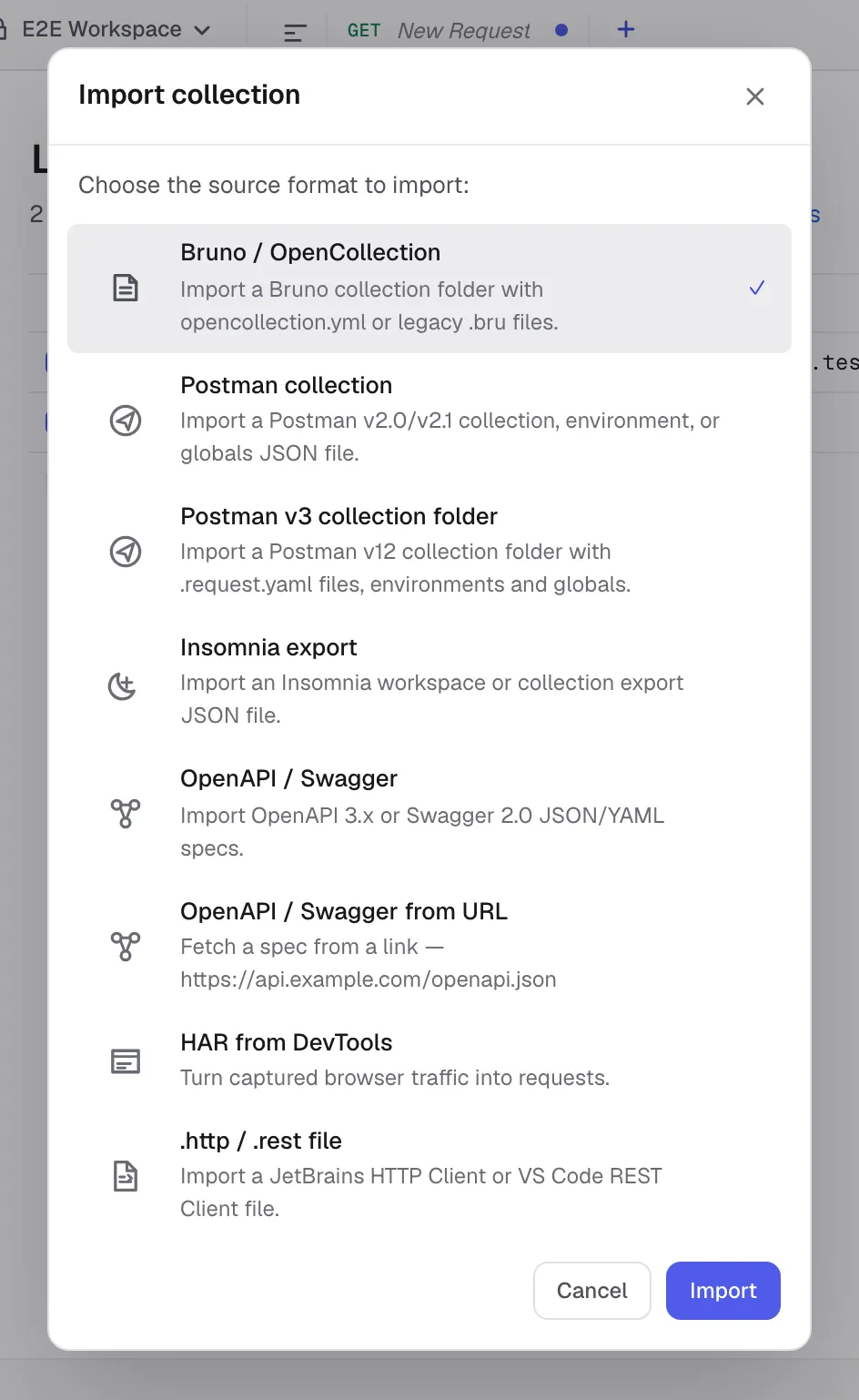
You can also drop the file into the Kurlo window.
Use the Postman collection picker for exported Postman environments or globals as well. Kurlo recognises them from the JSON.
What carries over
Section titled “What carries over”| Postman concept | Maps to in Kurlo |
|---|---|
| Collection name + folder tree | Collection with nested folders, including empty folders |
| Request name, method, URL, params, headers, body (raw / form-data / urlencoded / binary / GraphQL) | Imported as request fields. File bodies keep their file paths. |
| Authentication: Basic, Bearer, API Key, Digest, OAuth 2.0 | Request auth stays on the request. Collection and folder auth become defaults. |
| AWS Signature v4 | Preserved with region / service / access keys |
| OAuth 1.0 | Preserved: keys, secrets, signature method, realm, callback, verifier and the header/query choice |
| Pre-request and test scripts | Imported into Kurlo’s sandboxed script fields — see compatibility notes below |
| Environments (variables) | One Kurlo environment per Postman environment |
{{variable}} syntax everywhere | Preserved literally — Kurlo resolves them the same way |
Pre-request / test script compatibility
Section titled “Pre-request / test script compatibility”Postman scripts are JavaScript with Postman’s pm.* API. Kurlo supports sandboxed JavaScript for new imports and keeps legacy Tengo script fields for older requests. The shared pm.* API mirrors the common Postman surface for headers, variables, environments, response JSON, tests, and logs.
Most simple Postman scripts import with minimal edits:
| Postman | Kurlo equivalent |
|---|---|
pm.request.headers.add({key, value}) | pm.request.headers.set("key", "value") |
pm.response.json() | pm.response.json() ✓ same |
pm.test("name", function () { ... }) | pm.test("name", () => { ... }) or pm.test("name", expr); see Scripting API |
pm.environment.set("k", "v") | pm.environment.set("k", "v") ✓ same |
pm.collectionVariables.set(...) / pm.globals.set(...) | ✓ same; see Variable scopes |
pm.info.requestName, pm.info.iteration | ✓ same |
pm.cookies.get(...) / .has(...) | ✓ same (read-only) |
pm.execution.skipRequest() | ✓ same |
CryptoJS.HmacSHA256(...) | ✓ works via the CryptoJS shim, or use pm.crypto.hmacSha256(...) |
pm.sendRequest(...) | ✓ same, once Allow pm.sendRequest is enabled in the request’s Settings tab |
tests["name"] = ..., responseBody, postman.setEnvironmentVariable(...) (legacy) | ✓ same; see Postman legacy globals |
pm.variables.replaceIn("{{baseUrl}}/x"), xml2Json(...) | ✓ same |
postman.setNextRequest(...) | Not supported — Kurlo’s Collection Runner runs in declared order |
require("lodash"), ajv, tv4, uuid, crypto-js, chai | ✓ works via Kurlo’s bundled stand-ins |
require("...") of any other Node.js library (xml2js, moment, cheerio, …) | Not supported — the sandbox has no filesystem, process access or real npm modules. Hashing and HMAC are covered by pm.crypto / CryptoJS, XML by xml2Json, HTTP calls by pm.sendRequest. |
setTimeout / async / await | Not supported — the sandbox has no event loop. pm.sendRequest is synchronous, and its callback runs immediately. |
After import, open the Scripts tab on a request and run a smoke request. If a script fails, the response panel shows a script-error block with the line number.
What doesn’t import
Section titled “What doesn’t import”- Postman monitors — a server-side feature with no direct equivalent; the CLI runner on a schedule covers the same ground. Postman mocks do have an equivalent, and it runs locally: imported saved responses become examples, which the mock server serves over HTTP without an account.
- Postman Flows / workflows — same.
- Personal teams / sharing — Kurlo is local-only.
To send a collection back to Postman, open its ⋯ menu and choose Export…. Choose Postman collection v2.1 for a single JSON file or Postman collection v3 (YAML folder) to open native gRPC requests with Postman Local Files. See protocol support by format for details.